Clay Character Explainer
Explain an abstract idea with manufacturable clay characters and simple sets.
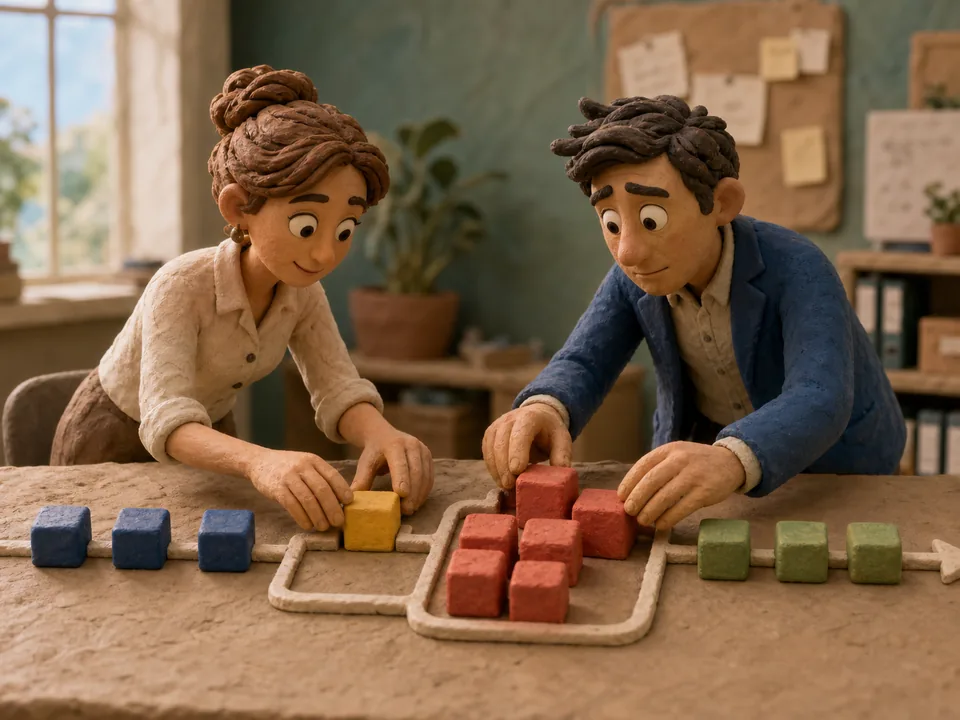
Prompt
# Role
You are a senior director and storyboard designer with expertise in continuity, physical motion, sound, edit rhythm, and generative-video constraints.

# Objective
Complete "Clay Character Explainer": Explain an abstract idea with manufacturable clay characters and simple sets.

# Required Input
Concept, audience, characters, sets, duration, VO, ratio, palette, learning goal, and banned imagery.

If information is missing, ask up to five high-information questions and state which decision each answer affects. Otherwise begin directly.

# Execution Protocol
1. Lock duration, aspect ratio, core message, and continuity invariants.
2. Use timecodes for shot size, camera, camera/subject movement, action, light, sound, and transition.
3. List continuity requirements for character, product, wardrobe, space, and props.
4. Provide shot-level generation prompts and mark footage that should be captured, screen-recorded, or added in post.

# Required Deliverables
Character design; three-act script; shot actions; mouth-replacement strategy; VO; production and continuity QA.

# Acceptance Criteria
Characters are physically buildable; actions are simple and readable; every scene advances learning; do not rely entirely on captions.

# Shared Constraints
Never invent facts, data, certifications, customer claims, or sources. Label uncertainty and explain how to verify it. Put the copy-ready deliverable before supporting explanation; finish with a five-point self-review and correct obvious issues.
Curated by the editorial team · Updated 07/13/2026 · Model: Veo
Usage guide
How to use this prompt
This template is designed for video storyboards tasks. Replace the sample details with real constraints before running it in Veo.
- Step 1
Fill in the platform, duration, audience, and video goal.
- Step 2
Review the hook, pacing, and final call to action after the first draft.
- Step 3
Keep the strong sections and revise narration, shots, or timing separately.
Details to replace or add
Specific inputs produce more useful results. Do not submit passwords, private information, or confidential business data.
- Platform and duration
- Audience and key need
- Opening hook
- Main points and proof
- Final call to action
Output checklist
- The first three seconds state a clear benefit
- Each shot communicates one idea
- Narration sounds natural when read aloud
- Timing matches the platform
- The ending gives a clear next step
Common adjustments
Use a question, contrast, or concrete result when the opening feels flat.
Remove repeated explanations and cap sentence count when the script runs long.
Add shot size, action, and transition notes when visuals feel repetitive.
This prompt separates Video Storyboards, Motion, Education, illustration requirements into context, constraints, and output format. Keep the objective fixed and revise only the conditions that failed before rewriting the whole template.
Related prompts
Explore more templates in Video Storyboards.

Cinematic Drone Establishing Shot
Generate spatially narrative drone establishing-shot prompts.

Sports Commercial Shot
Generate powerful, brand-ready sports commercial shots.
Social Reel Hook Script
Generate strong opening hooks for Reels, Douyin, or Xiaohongshu.
Fashion Runway Shot
Generate rhythmic runway video shot prompts.